Deploying Targeted Urgent Training to 3 Groups in an Afternoon — Using ALM’s JavaScript Injection
Imagine this.
It’s 11 AM on a Tuesday. Your phone rings. It’s your VP.
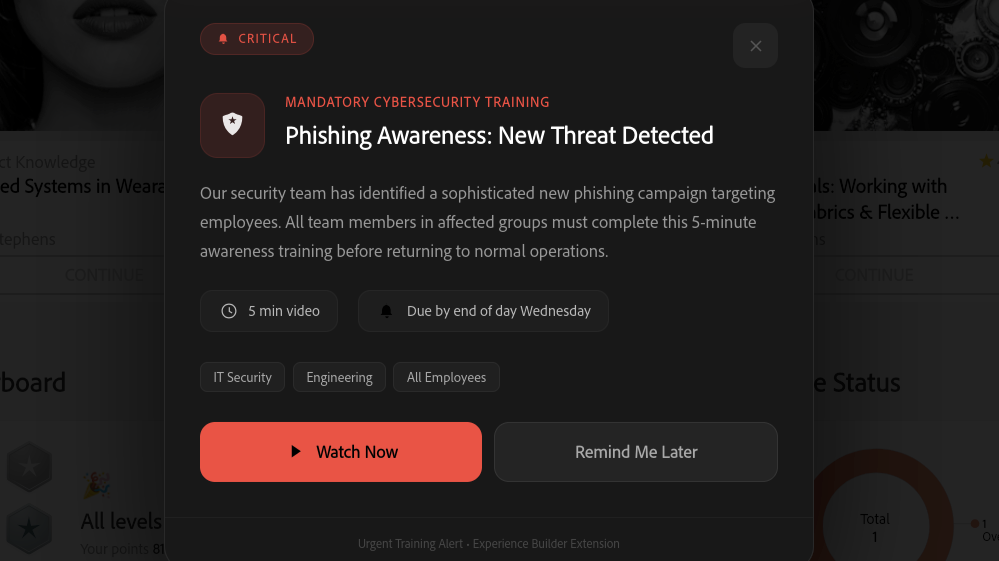
"We have a situation. Security just flagged a new phishing campaign targeting our people. Sales is getting hammered with questions about the Q1 product changes nobody was briefed on. And Operations needs everyone on the updated safety protocol before Friday's audit. Three different audiences. Three different trainings. I need it visible, impossible to miss, and I need it today."
Not next sprint. Not after the design review. Today.
If you’ve spent any time in enterprise L&D, you know what usually happens next: emergency meetings, stakeholder alignment, vendor coordination, LMS configuration, QA testing, rollout comms… and by the time it actually ships, half the urgency has evaporated and the other half has turned into a compliance checkbox nobody reads.
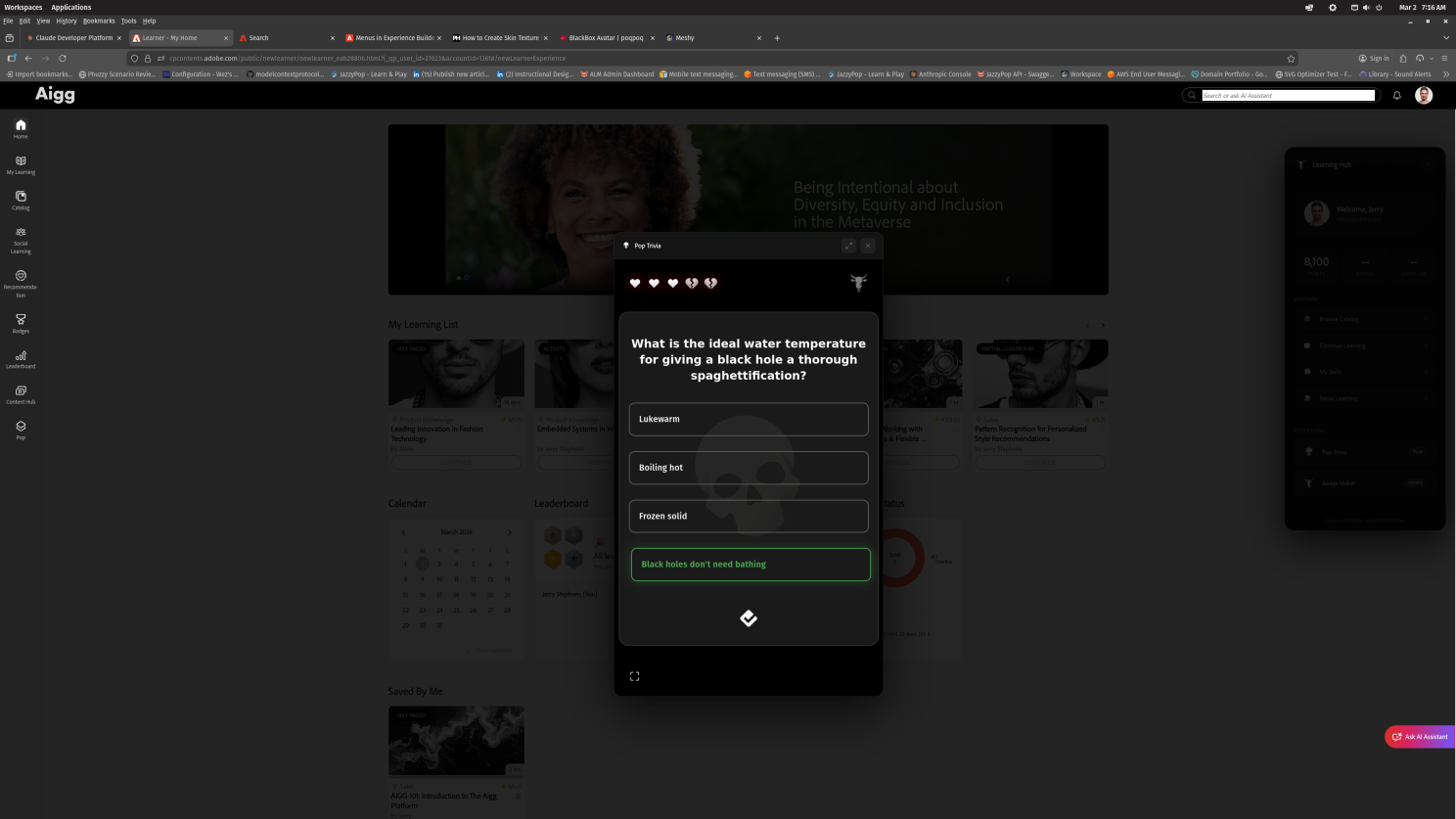
But what if it didn’t have to be that way? What if you could build and deploy a targeted, personalized, visually compelling training alert — to specific groups — in a single afternoon That’s exactly the scenario I built this toolkit to solve. And I want to show you how.
The Tool You're Walking Past: Adobe Learning Manager's Experience Builder JavaScript Injection
Adobe Learning Manager’s Experience Builder includes a feature that most admins never think twice about: Custom JavaScript injection on the front page. It’s tucked away in Admin → Branding → CSS & JS Injection, and most people use it for minor cosmetic tweaks if they use it at all.
But it’s so much more than that. Here’s what your learners could see when they log in:
A center-screen alert — color-coded by urgency, personalized to their name, targeted to their team — with a one-click path to a 5-minute training video.
- 🔴 Engineering sees “CRITICAL: Phishing Awareness” — new threat detected, immediate action needed
- 🟠 Sales and Support see “URGENT: Q1 Product Changes” — customers are already asking
- 🟢 Operations sees “REQUIRED: Updated Safety Protocol” — new procedures effective Friday
Each alert appears only for the relevant teams. Each includes a “Watch Now” button that opens the training video right there on the page — no new tabs, no hunting through the catalog, no “I’ll get to it later.” And your existing Learning Hub side panel stays right where it is, keeping the full navigation experience intact.
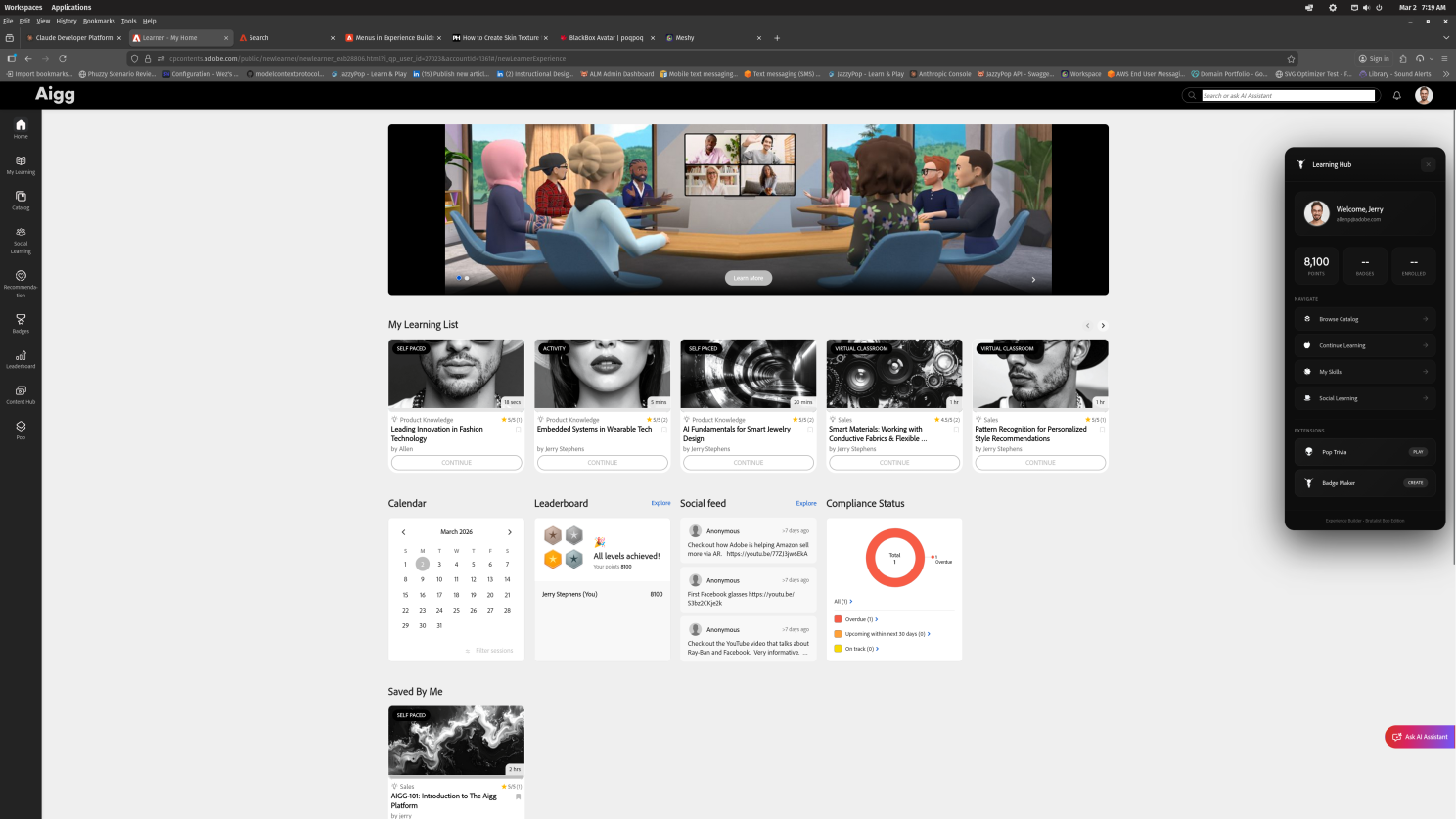
Three audiences. Three scenarios. One JavaScript file. One afternoon. I built this. It works. And the code is free.
How It Actually Works
The magic isn’t complexity — it’s that Adobe exposed the right APIs at the right level. When your JavaScript runs on the Adobe Learning Manager front page, you have access to window. Adobe Learning Manager — a full client-side SDK that gives you:
- Who’s logged in — name, email, enrollment data, badges, points
- What groups they belong to — via the REST API (GET /users/{userId}?include=userGroups)
- Authentication tokens — the same nativeExtensionToken that powers headless integrations
- Navigation — programmatic routing through the official ALM navigation system
So the flow is clean:
The group targeting uses ALM’s own REST API — the same endpoints you’d use in any headless integration. No external services. No middleware. No additional infrastructure.
And if the API call fails? The alert shows anyway. Because in an urgent scenario, fail-open beats fail-silent. Your learner can always dismiss with one click — but a silently failed notification helps nobody.
Not Just Alerts — A Platform for Anything
This urgent training alert is the second component in a growing open-source toolkit. The first was a Learning Hub side panel — a persistent dark-themed panel that gives learners quick access to their profile, stats, navigation shortcuts, and custom iframe extensions like a Pop Trivia game and a Badge Maker.
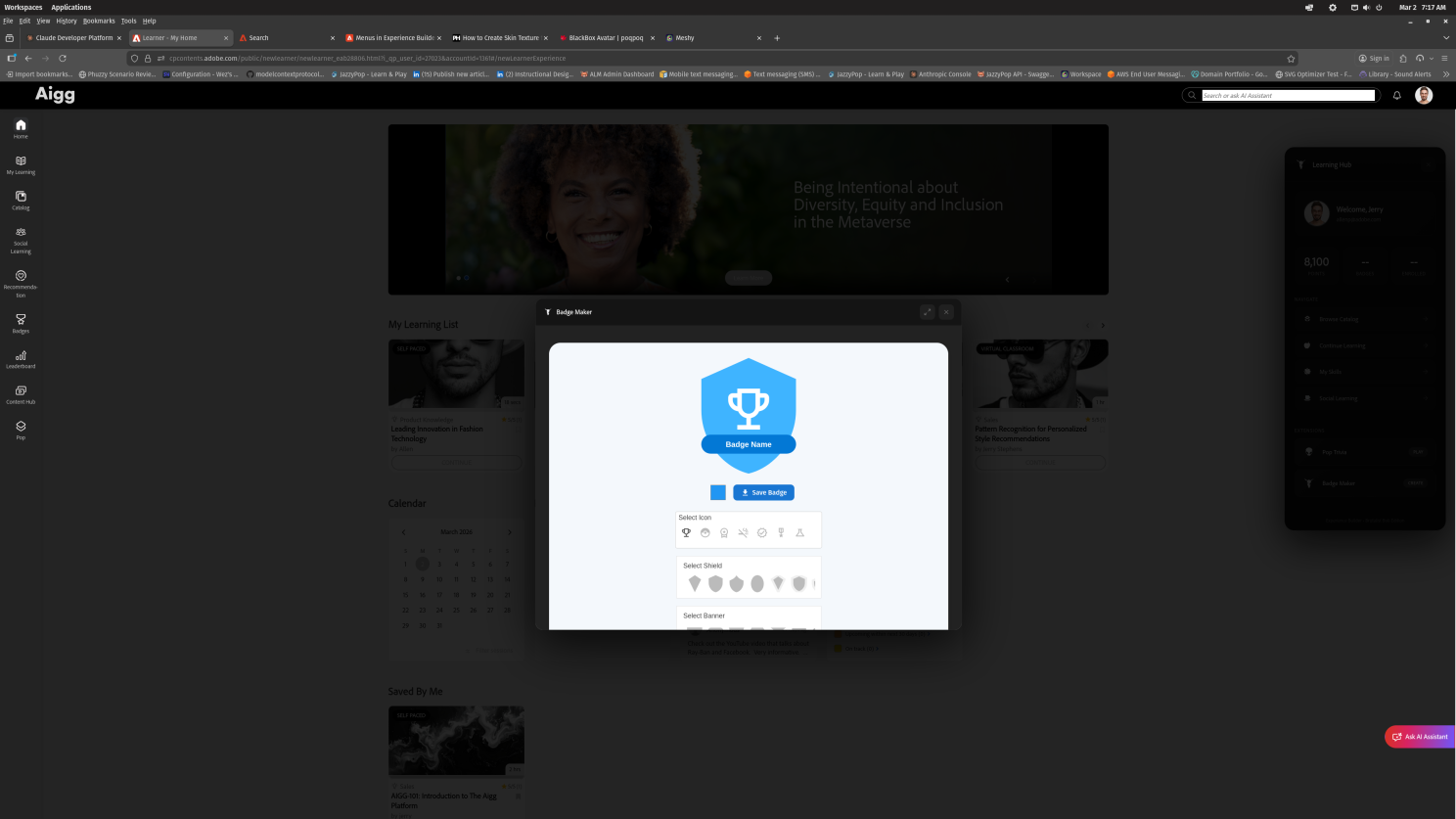
Both components run simultaneously from a single JavaScript injection point. They share the ALM SDK but live in completely isolated scopes. The Learning Hub floats on the right side of the page while the urgent alert owns center screen when it needs to.
Here's what gets me excited: this pattern scales to anything.
Token economies. Avatar customizers. AI study companions. Department leaderboards. Escape rooms hidden across your catalog. The front page injection isn’t a hack or a workaround — it’s a full application layer. You have the same API access as a headless integration, running inside the headed experience.
Your imagination is the limit. Not the platform.
Imagine the Possibilities
Picture this: a learner logs into ALM on a Monday morning. A friendly alert greets them — not generic, not annoying, but relevant. It knows their name. It knows their team. It knows what’s urgent for them. One click, five minutes, done. They’re informed, they’re compliant, and they’re back to their day before the coffee gets cold.
Now picture the same platform delivering:
- Seasonal challenges with real-time leaderboards between departments
- Collectible achievements that learners actually want to earn
- Interactive study companions that live right on the page
- Custom gamification — tokens, avatars, reward shops — all running inside ALM
That’s the real potential here. The urgent training alert is just one scenario. The underlying capability is the story.
See It In Action
📺 Watch it work: Urgent Training Alert — Live on ALM
I’m posting a video in a few minutes. Check my Linked in for the video and I’ll try to remember to link it from here too.
💻 Grab the code: GitHub: ALM Front Page JS Injection — includes the Learning Hub panel, the Urgent Training Alert, interactive demo, full documentation, and 79 hand-drawn Brutalist Bob icons.
https://github.com/increasinglyHuman/ALM-FrontPageJSInjection <- this repository, and the one for the side navigation bar.
https://github.com/increasinglyHuman/badgeFactory <- source for that cool badge factory - you can do all kinds of things with it.
📖 Deep dive on the APIs: Want to understand how to tap into ALM’s user data, group memberships, and authentication tokens from injected JavaScript? Start here: →Your First Real Adobe Learning Manager API Adventure
https://github.com/increasinglyHuman/Adobe-Learning-Manager-API-Demo <- the API examples repository
📖 The first article in this series: → Experience Builder Has a Hidden Superpower
Try It Yourself
That’s it. No build tools. No npm install. No deployment pipeline. Just JavaScript and the platform you’re already paying for.
The Bigger Picture
Every L&D professional I talk to has the same frustration: the gap between having a great idea and getting it in front of learners is measured in weeks or months. Budget approvals. Vendor timelines. IT tickets. Release windows.
*What if that gap was measured in hours?*
That’s what this capability represents. Not just for emergencies — for any moment when you need to meet learners where they are, with exactly what they need, right now.
Imagine the boss calls. You have hours. Hours is enough. What would you build if you could inject any experience directly into your learning platform? I'd love to hear your ideas — drop them in the comments.
Dr. Allen Partridge, Director of Product Evangelism, Adobe Digital Learning Solutions
You can check out all my articles on LinkedIn here: https://www.linkedin.com/in/doctorpartridge/recent-activity/articles/
#AdobeLearningManager #LMS #eLearning #JavaScript #Gamification #EdTech #LearningAndDevelopment #ExperienceBuilder #API #InstructionalDesign